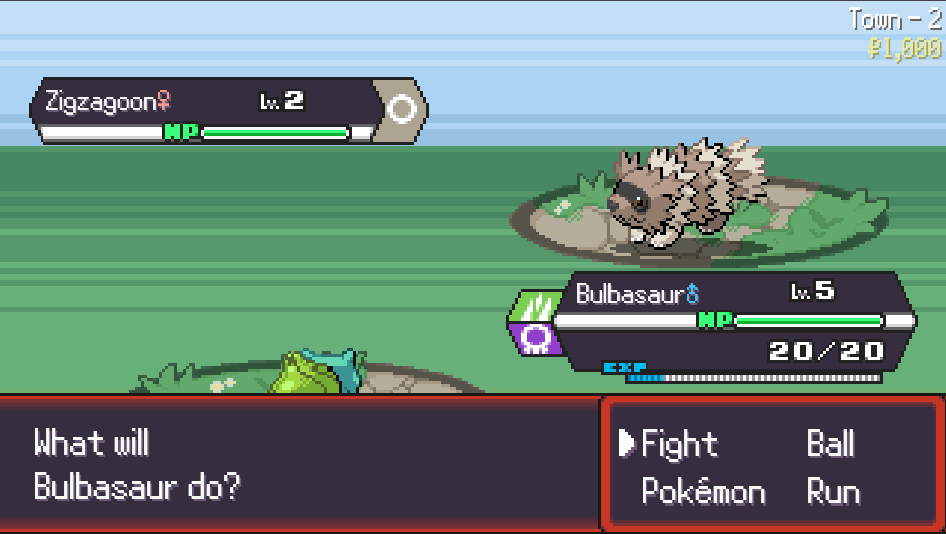
매니지드 K8S가 아닌 자체 관리형 K8S에서의 Pokerogue구축 방법
UI 접근을 위한 외부 통신으로 MetalLB+HAproxy+Nginx Controller가 구성 되었다는 전제 하에 구축
CSP 환경이라면 Ingress 설정에서 AWS ALB Controller와 같은 로드밸런서를 사용해 훨씬 간편하게 구축 가능
- Pokerogue 공식문서: https://github.com/pagefaultgames/pokerogue https://github.com/pagefaultgames/rogueserver
아키텍쳐
인프라 구조: Pokerogue WEB(Frontend) - Pokerogue Rogueserver(Backend) - MariaDB(DB)

WEB과 API 통신 경로를 분리
- 분리 이유
- SPA 특성상 Frontend가 / 경로로 모든 요청을 받아야 함
- Backend는 /api/* 경로를 /*로 rewrite된 상태로 요청을 받아야 함
- Ingress는 같은 Host(도메인)에 대해 두 개의 서로 다른 규칙 적용 불가
- 따라서 HAproxy 설정에서 Frontend는 Ingress, Backend는 LoadBalancer타입 Service로 라우팅되도록 구성
- WEB 통신 구조:
- Client(HTTPS) → HAproxy(SSL Termination) → Nginx Ingress Controller → Ingress → Service(
pokerogue-webClusterIP) → Workload(pokerogue-web)
- Client(HTTPS) → HAproxy(SSL Termination) → Nginx Ingress Controller → Ingress → Service(
- API 통신 구조:
- Client JS(HTTPS
/api/account/info) → HAproxy(SSL Termination + 경로 rewrite ⇒ HTTP/account/info) → Service(pokerogue-serverLoadBalancer) → Workloads(pokerogue-server) → Service(pokerogue-dbClusterIP) → Workload(MariaDB)
- Client JS(HTTPS
- 분리 이유
구글 Oauth 로그인 흐름
- Client가 설정에서 Link Google → pokerogue-web에서
/api/auth/google?mode=link요청 → rogueserver에서 Google OAuth URL 생성 → 브라우저에서 구글 로그인 → 구글에서도메인/api/auth/google/callback?code=...&state=...로 라우팅 → HAproxy(rogueserver-service)로 라우팅 → rogueserver에서 /auth/google/callback로 수신한 code로 구글 ID 조회 + 로그인한 사용자 ID 조회 → DB에서 해당 사용자에 구글 ID값 추가 → 도메인으로 리다이렉트- 디스코드 OAuth 로그인도 동일한 흐름
- Client가 설정에서 Link Google → pokerogue-web에서
Pokerogue 구축
Pokerogue 네임스페이스 생성
1
2
kubectl create ns pokerogue kubectl label namespace teleport-cluster 'pod-security.kubernetes.io/enforce=baseline'mariadb-pvc 생성
- mariadb-pvc.yaml
- longhorn pv 사용
 1
 2
 3
 4
 5
 6
 7
 8
 9
10
11
12
apiVersion: v1 kind: PersistentVolumeClaim metadata: name: pokerogue-db-pvc namespace: pokerogue spec: accessModes: - ReadWriteOnce storageClassName: longhorn resources: requests: storage: 10Gi- mariadb-pvc.yaml
mariadb-secret 생성
- DB 인증정보 secret
- MYSQL_ROOT_PASSWORD
- MYSQL_DATABASE
- MYSQL_USER
- MYSQL_PASSWORD
- DB 인증정보 secret
mariadb 배포
- mariadb-deployment.yaml
- mariadb secret 참조
mysqladmin ping명령어로 헬스 체크
 1
 2
 3
 4
 5
 6
 7
 8
 9
10
11
12
13
14
15
16
17
18
19
20
21
22
23
24
25
26
27
28
29
30
31
32
33
34
35
36
37
38
39
40
41
42
43
44
45
46
47
48
49
50
51
52
53
54
55
56
57
58
59
60
61
62
63
64
65
66
67
68
69
70
71
72
73
74
75
76
77
78
79
80
81
82
apiVersion: apps/v1 kind: Deployment metadata: name: pokerogue-db namespace: pokerogue labels: app: pokerogue-db spec: replicas: 1 selector: matchLabels: app: pokerogue-db template: metadata: labels: app: pokerogue-db spec: containers: - name: mariadb image: mariadb:11.2 ports: - containerPort: 3306 name: mysql env: - name: MYSQL_ROOT_PASSWORD valueFrom: secretKeyRef: name: pokerogue-db-secret key: MYSQL_ROOT_PASSWORD - name: MYSQL_DATABASE valueFrom: secretKeyRef: name: pokerogue-db-secret key: MYSQL_DATABASE - name: MYSQL_USER valueFrom: secretKeyRef: name: pokerogue-db-secret key: MYSQL_USER - name: MYSQL_PASSWORD valueFrom: secretKeyRef: name: pokerogue-db-secret key: MYSQL_PASSWORD volumeMounts: - name: db-data mountPath: /var/lib/mysql resources: requests: memory: "512Mi" cpu: "250m" limits: memory: "1Gi" cpu: "500m" livenessProbe: exec: command: - /usr/bin/mariadb-admin - ping - -h - localhost - -u - root - -p${MYSQL_ROOT_PASSWORD} initialDelaySeconds: 30 periodSeconds: 10 readinessProbe: exec: command: - /usr/bin/mariadb-admin - ping - -h - localhost - -u - root - -p${MYSQL_ROOT_PASSWORD} initialDelaySeconds: 5 periodSeconds: 5 volumes: - name: db-data persistentVolumeClaim: claimName: pokerogue-db-pvc- mariadb-deployment.yaml
mariadb-service 생성
- mariadb-service.yaml
 1
 2
 3
 4
 5
 6
 7
 8
 9
10
11
12
13
apiVersion: v1 kind: Service metadata: name: pokerogue-db namespace: pokerogue spec: selector: app: pokerogue-db ports: - protocol: TCP port: 3306 targetPort: 3306 type: ClusterIPOAuth-secret 생성
- rogueserver oauth 로그인을 위한 secret
- GOOGLE_CLIENT_ID
- GOOGLE_SECRET_ID
- DISCORD_CLIENT_ID
- DISCORD_CLIENT_SECRET
- rogueserver oauth 로그인을 위한 secret
rogueserver 배포
- rogueserver-deployment.yaml
- initcontainer로 DB가 준비될 때까지 대기
- DB secret 참조
- OAuth secret 참조
 1
 2
 3
 4
 5
 6
 7
 8
 9
10
11
12
13
14
15
16
17
18
19
20
21
22
23
24
25
26
27
28
29
30
31
32
33
34
35
36
37
38
39
40
41
42
43
44
45
46
47
48
49
50
51
52
53
54
55
56
57
58
59
60
61
62
63
64
65
66
67
68
69
70
71
72
73
74
75
76
77
78
79
80
apiVersion: apps/v1 kind: Deployment metadata: name: pokerogue-server namespace: pokerogue labels: app: pokerogue-server spec: replicas: 1 selector: matchLabels: app: pokerogue-server template: metadata: labels: app: pokerogue-server spec: # DB가 준비될 때까지 대기 initContainers: - name: wait-for-db image: busybox:1.36 command: ['sh', '-c', 'until nc -z pokerogue-db 3306; do echo waiting for db; sleep 2; done;'] containers: - name: rogueserver image: <registry명>/rogueserver:latest imagePullPolicy: Always ports: - containerPort: 8001 name: api env: - name: debug value: "true" - name: dbaddr value: "pokerogue-db:3306" - name: dbuser valueFrom: secretKeyRef: name: pokerogue-db-secret key: MYSQL_USER - name: dbpass valueFrom: secretKeyRef: name: pokerogue-db-secret key: MYSQL_PASSWORD - name: dbname valueFrom: secretKeyRef: name: pokerogue-db-secret key: MYSQL_DATABASE - name: gameurl value: "https://pokerogue.<도메인>:48443" - name: callbackurl value: "https://pokerogue.<도메인>:48443/api" - name: googleclientid valueFrom: secretKeyRef: name: pokerogue-oauth-secret key: GOOGLE_CLIENT_ID - name: googlesecretid valueFrom: secretKeyRef: name: pokerogue-oauth-secret key: GOOGLE_SECRET_ID - name: discordclientid valueFrom: secretKeyRef: name: pokerogue-oauth-secret key: DISCORD_CLIENT_ID - name: discordsecretid valueFrom: secretKeyRef: name: pokerogue-oauth-secret key: DISCORD_CLIENT_SECRET resources: requests: memory: "512Mi" cpu: "250m" limits: memory: "1Gi" cpu: "1000m"- rogueserver-deployment.yaml
rogueserver-service생성
- rogueserver-service.yaml
- type을 LoadBalancer로 만들어서 pokerogue-web용 ingrss에 할당할 IP와 다른 IP를 MetalLB로부터 할당
- /api로의 통신은 haproxy에서 rogueserver Service(LB)로 직접 라우팅
| |
web 배포
- web-deployment.yaml
1 2 3 4 5 6 7 8 9 10 11 12 13 14 15 16 17 18 19 20 21 22 23 24 25 26 27 28 29 30 31apiVersion: apps/v1 kind: Deployment metadata: name: pokerogue-web namespace: pokerogue labels: app: pokerogue-web spec: replicas: 1 selector: matchLabels: app: pokerogue-web template: metadata: labels: app: pokerogue-web spec: containers: - name: web image: <registry명>/pokerogue-web:latest imagePullPolicy: Always ports: - containerPort: 80 name: http resources: requests: memory: "512Mi" cpu: "500m" limits: memory: "1Gi" cpu: "1000m"web-service생성
- web-service.yaml
 1
 2
 3
 4
 5
 6
 7
 8
 9
10
11
12
13
apiVersion: v1 kind: Service metadata: name: pokerogue-web namespace: pokerogue spec: selector: app: pokerogue-web ports: - protocol: TCP port: 80 targetPort: 80 type: ClusterIPweb-ingress 생성
- pokerogue-web-ingress.yaml
- Frontend 라우팅만 처리
nginx.ingress.kubernetes.io/ssl-redirectnginx.ingress.kubernetes.io/force-ssl-redirect- SSL Redirect 비활성화
- HAproxy에서 SSL Termination 처리하기 때문
- Ingress는 HTTP 트래픽만 수신
- SSL Redirect 비활성화
- Host 기반 라우팅
- pokerogue.<도메인>으로 들어오는 요청만 처리
- HAproxy가 Host 헤더 기반으로 이 Ingress로 라우팅
- Frontend 라우팅만 처리
 1
 2
 3
 4
 5
 6
 7
 8
 9
10
11
12
13
14
15
16
17
18
19
20
21
22
23
apiVersion: networking.k8s.io/v1 kind: Ingress metadata: name: pokerogue-unified-ingress namespace: pokerogue annotations: nginx.ingress.kubernetes.io/ssl-redirect: "false" nginx.ingress.kubernetes.io/force-ssl-redirect: "false" spec: ingressClassName: nginx # TLS is handled by HAProxy, not by Ingress # This allows HAProxy to terminate SSL and forward HTTP to Ingress rules: - host: pokerogue.<도메인> http: paths: - path: / pathType: Prefix backend: service: name: pokerogue-web port: number: 80- pokerogue-web-ingress.yaml
SSL 인증서 적용
- 인증서 발급
/etc/letsencrypt/live/pokerogue.<도메인>/fullchain.pem/etc/letsencrypt/live/pokerogue.<도메인>/privkey.pem
1
2
3
certbot certonly --manual --preferred-challenges dns \ -d pokerogue.<도메인> \ --key-type ecdsa- haproxy용 인증서 생성
1
2
3
cat /etc/letsencrypt/live/pokerogue.<도메인>/fullchain.pem \ /etc/letsencrypt/live/pokerogue.<도메인>/privkey.pem \ > /etc/haproxy/pokerogue.pem- 인증서 발급
HAproxy 설정
ingress, service를 조회하여 MetalLB로부터 부여받은 IP 확인
- web: 172.27.1.100
- backend: 172.27.1.104
1
2
3
4
5
6
# kubectl get ingress -n pokerogue NAME CLASS HOSTS ADDRESS PORTS AGE pokerogue-unified-ingress nginx pokerogue.<도메인> 172.27.1.100 80 6d21h # kubectl get svc -n pokerogue NAME TYPE CLUSTER-IP EXTERNAL-IP PORT(S) AGE pokerogue-server LoadBalancer 10.233.16.211 172.27.1.104 8001:30946/TCP 9d확인한 IP를 HAproxy 설정에 추가
HTTPS 트래픽 처리
- SSL Termination
- SSL인증서와 개인키 파일을 결합한
pokerogue.pem파일 사용
- SSL인증서와 개인키 파일을 결합한
- X-Forwarded-Port
- 구글/디스코드 같은 외부 로그인을 위한
Backend OAuth callback URL생성 시
- 구글/디스코드 같은 외부 로그인을 위한
- 경로 기반 라우팅
/api/*요청 시rogueserver-service로 직접 라우팅- 나머지 모든 요청은
pokerogue-ingress로 라우팅
- SSL Termination
API 서버(rogueserver-service)로의 라우팅을 위해
/api/*요청을/*요청으로 재작성하는 설정 적용1 2 3 4 5 6 7 8 9 10 11 12 13 14 15 16 17 18 19 20 21 22 23frontend pokerogue_frontend bind *:443 ssl crt /etc/haproxy/pokerogue.pem mode http option forwardfor # Set X-Forwarded headers for HTTPS http-request set-header X-Forwarded-Host %[req.hdr(host)] http-request set-header X-Forwarded-Proto https http-request set-header X-Forwarded-Port 48443 # Path-based routing: /api -> Backend API, others -> Frontend use_backend pokerogue_api_backend if { path_beg /api } default_backend metallb_backend_pokerogue backend metallb_backend_pokerogue # Frontend only (no rewrite) server pokerogue 172.27.1.100:80 backend pokerogue_api_backend # Backend API: direct to LoadBalancer Service (MetalLB managed) # Path rewrite: /api/* -> /* http-request set-path %[path,regsub(^/api,)] server pokerogue-server-lb 172.27.1.104:8001haproxy 적용
1
2
haproxy -c -f /etc/haproxy/haproxy.cfg systemctl reload haproxy접근 성공!