GitHub SSH 설정

1. SSH 키 생성

  • GitHub에서 사용할 SSH 키를 생성
  • 최신 보안 권장사항에 따라 ed25519 알고리즘 사용
1
ssh-keygen -t ed25519 -C "your_email@example.com"
  • 이메일은 GitHub 계정에 등록된 이메일로 입력
  • 생성 시 파일명을 github_ssh.txt와 같이 지정 가능
  • 키는 기본적으로 ~/.ssh 디렉토리에 생성

예시 출력:

1
Enter file in which to save the key (/home/user/.ssh/id_ed25519): github_ssh.txt

2. 공개키 GitHub에 등록

  1. 생성된 공개키 확인:

    1
    
    cat ~/.ssh/github_ssh.txt.pub
    
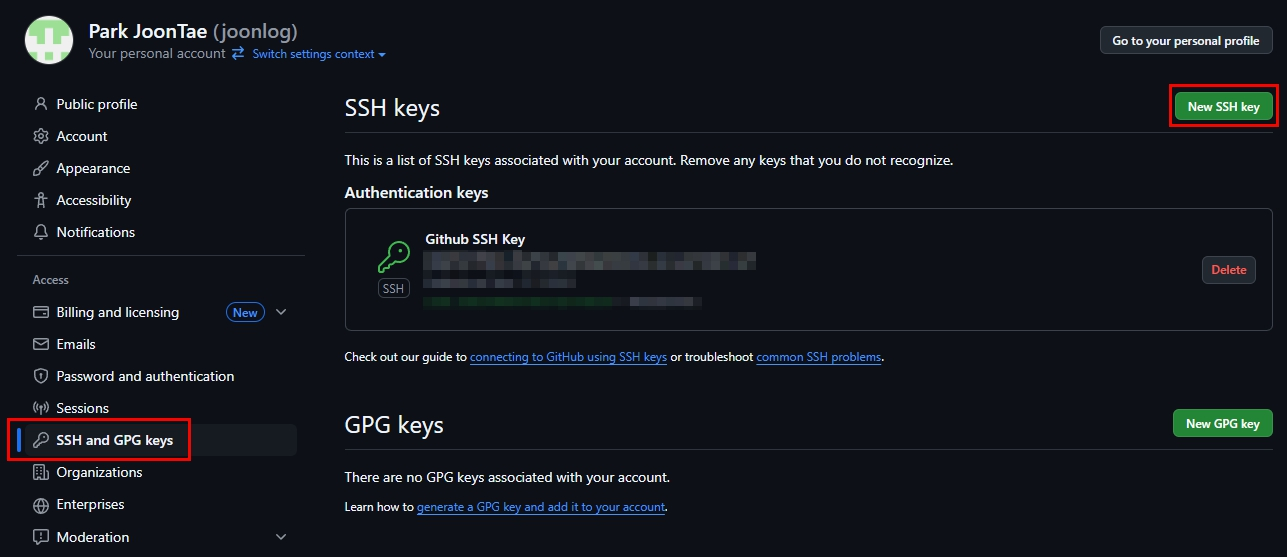
  2. GitHub 접속 → Settings → SSH and GPG keys → New SSH key 클릭
    GitHubSSH01.png

  3. 위 명령어로 확인한 공개키 내용을 붙여넣기

3. SSH config 설정

~/.ssh/config 파일을 열어 GitHub 접속 시 사용할 키를 지정

1
2
3
4
echo "Host github.com
    HostName github.com
    User git
    IdentityFile ~/.ssh/github_ssh.txt" >> ~/.ssh/config
  • 여러 Git 계정을 사용할 경우 Host github.com-<계정명> 등으로 이름을 다르게 지정하면 병행 사용도 가능

4. SSH 연결 테스트

1
ssh -T git@github.com
  • 성공 시 아래와 같은 메시지를 출력
1
Hi <GitHub 사용자명>! You've successfully authenticated, but GitHub does not provide shell access.

5. 저장소 클론

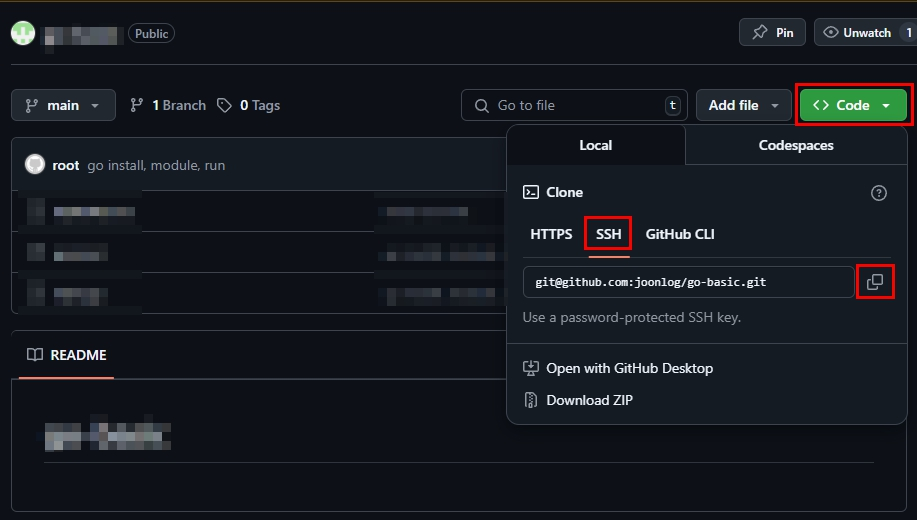
  • SSH를 통해 저장소를 클론 가능

    GitHubSSH01.png

1
git clone git@github.com:joonlog/<내-리포지토리>.git