매니지드 K8S가 아닌 자체 관리형 K8S에서의 Jenkins 구축 방법
UI 접근을 위한 외부 통신으로 MetalLB+HAproxy+Nginx Controller가 구성 되었다는 전제 하에 구축
CSP 환경이라면 Ingress 설정에서 AWS ALB Controller와 같은 로드밸런서를 사용해 훨씬 간편하게 구축 가능
- Jenkins 공식문서: ****https://www.jenkins.io/doc/book/installing/kubernetes/
Jenkins 설치
Helm 리포지토리 추가
1
2
helm repo add jenkinsci https://charts.jenkins.io helm repo updatejenkins-ci 네임스페이스 생성
1kubectl create ns jenkinsjenkins-pv 생성(기존 StorageClass 없을 시에만 진행)
- 기존에 사용하던 Ceph, Longhorn, EBS Driver, Harbor 같은 StorageClass가 없을 경우에 로컬 경로를 사용한 PV 할당 방법
- StorageClass가 있다면 PVC 생성 시 자동으로 PV가 할당되기 때문에 이 과정은 불필요
1
2
vim jenkins-01-volume.yaml kubectl apply -f jenkins-01-volume.yaml1 2 3 4 5 6 7 8 9 10 11 12 13 14 15 16 17 18 19 20 21apiVersion: v1 kind: PersistentVolume metadata: name: jenkins-pv spec: storageClassName: jenkins-pv accessModes: - ReadWriteOnce capacity: storage: 20Gi persistentVolumeReclaimPolicy: Retain hostPath: path: /data/jenkins-volume/ --- apiVersion: storage.k8s.io/v1 kind: StorageClass metadata: name: jenkins-pv provisioner: kubernetes.io/no-provisioner volumeBindingMode: WaitForFirstConsumer- 기존에 사용하던 Ceph, Longhorn, EBS Driver, Harbor 같은 StorageClass가 없을 경우에 로컬 경로를 사용한 PV 할당 방법
ServiceAccount 생성
1 2vim jenkins-02-sa.yaml kubectl apply -f jenkins-02-sa.yaml1 2 3 4 5 6 7 8 9 10 11 12 13 14 15 16 17 18 19 20 21 22 23 24 25 26 27 28 29 30 31 32 33 34 35 36 37 38 39 40 41 42 43 44 45 46 47 48 49 50 51 52 53 54 55 56 57 58 59 60 61 62 63 64 65 66 67 68 69 70 71 72 73 74 75 76--- apiVersion: v1 kind: ServiceAccount metadata: name: jenkins namespace: jenkins --- apiVersion: rbac.authorization.k8s.io/v1 kind: ClusterRole metadata: annotations: rbac.authorization.kubernetes.io/autoupdate: "true" labels: kubernetes.io/bootstrapping: rbac-defaults name: jenkins rules: - apiGroups: - '*' resources: - statefulsets - services - replicationcontrollers - replicasets - podtemplates - podsecuritypolicies - pods - pods/log - pods/exec - podpreset - poddisruptionbudget - persistentvolumes - persistentvolumeclaims - jobs - endpoints - deployments - deployments/scale - daemonsets - cronjobs - configmaps - namespaces - events - secrets verbs: - create - get - watch - delete - list - patch - update - apiGroups: - "" resources: - nodes verbs: - get - list - watch - update --- apiVersion: rbac.authorization.k8s.io/v1 kind: ClusterRoleBinding metadata: annotations: rbac.authorization.kubernetes.io/autoupdate: "true" labels: kubernetes.io/bootstrapping: rbac-defaults name: jenkins roleRef: apiGroup: rbac.authorization.k8s.io kind: ClusterRole name: jenkins subjects: - apiGroup: rbac.authorization.k8s.io kind: Group name: system:serviceaccounts:jenkinsjenkins 설치
https://github.com/jenkinsci/helm-charts/tree/main/charts/jenkins
- helm으로 설치
- values.yaml 수정
1 2 3 4wget https://raw.githubusercontent.com/jenkinsci/helm-charts/main/charts/jenkins/values.yaml vim values.yaml helm install jenkins -n jenkins -f values.yaml jenkinsci/jenkinshelm을 통해 pvc 자동 생성
- pv는 longhorn이 자동으로 프로비저닝
- SA는 2번에서 생성한 리소스 사용
1 2 3 4 5 6 7persistence: storageClass: longhorn size: "20Gi" serviceAccount: create: false name: jenkins
Jenkins UI 접근
ingress 생성
- 8080포트를 사용하는 jenkins service로 연결
1 2 3 4 5 6 7 8 9 10 11 12 13 14 15 16 17 18 19 20 21 22 23 24 25cat <<EOF > jenkins-ingress.yaml apiVersion: networking.k8s.io/v1 kind: Ingress metadata: name: jenkins-ingress namespace: jenkins annotations: nginx.ingress.kubernetes.io/backend-protocol: "HTTP" nginx.ingress.kubernetes.io/proxy-body-size: "50m" spec: ingressClassName: nginx rules: - host: "jenkins.<도메인>" http: paths: - path: / pathType: Prefix backend: service: name: jenkins port: number: 8080 EOF kubectl -n jenkins apply -f jenkins-ingress.yamlHAproxy 설정
ingress를 조회하여 MetalLB로부터 부여받은 IP 확인
- 현재는 172.27.1.100
1 2 3# kubectl get ingress -n jenkins NAME CLASS HOSTS ADDRESS PORTS AGE jenkins-ingress nginx jenkins.<도메인> 172.27.1.100 80 26h확인한 IP를 HAproxy 설정에 추가
- HAproxy 서버 공인 IP로 접근 시 jenkins의 Ingress로 통신되도록 설정
http-response replace-value Location ^http://jenkins\.<도메인>/(.*)$ http://jenkins.<도메인>:<포트>/\\1- 두 조건을 만족할 경우 설정 필요
- 외부 브라우저에서 Jenkins 접근 시 포트를 붙여서 접근해야 될 경우
- 애플리케이션 내부적으로 url로 응답이 나오도록 설정되어 있을 경우
- EX) Jenkins 파이프라인 빌드 시 파라미터를 기입해야 할 경우 Jenkins 설정된 url 응답
- 설정하지 않으면 접근 시 자동으로 포트가 제거된 상태로 리다이렉션되어 404 에러
1 2 3vim /etc/haproxy/haproxy.cfg haproxy -c -f /etc/haproxy/haproxy.cfg systemctl reload haproxy1 2 3 4 5 6 7 8 9 10 11 12 13 14 15frontend unified_frontend_8080 bind *:8080 mode http option forwardfor http-request set-header X-Forwarded-Host %[req.hdr(host)] http-request set-header X-Forwarded-Proto http http-request set-header X-Forwarded-Port %[dst_port] # Host 기반 라우팅 use_backend metallb_backend_jenkins if { hdr(host) -m sub jenkins } backend metallb_backend_jenkins http-response replace-value Location ^http://jenkins\.<도메인>/(.*)$ http://jenkins.<도메인>:<포트>/\\1 server jenkins 172.27.1.100:80
접근 성공!
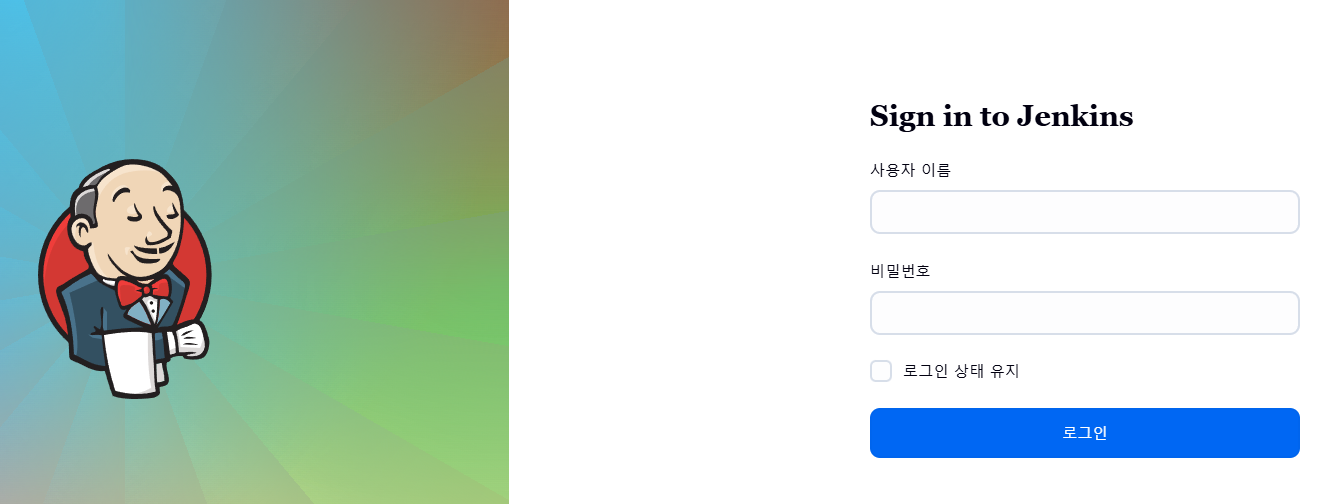
Jenkins 관리자 비밀번호 확인
1 2 3jsonpath="{.data.jenkins-admin-password}" secret=$(kubectl get secret -n jenkins jenkins -o jsonpath=$jsonpath) echo $(echo $secret | base64 --decode)